
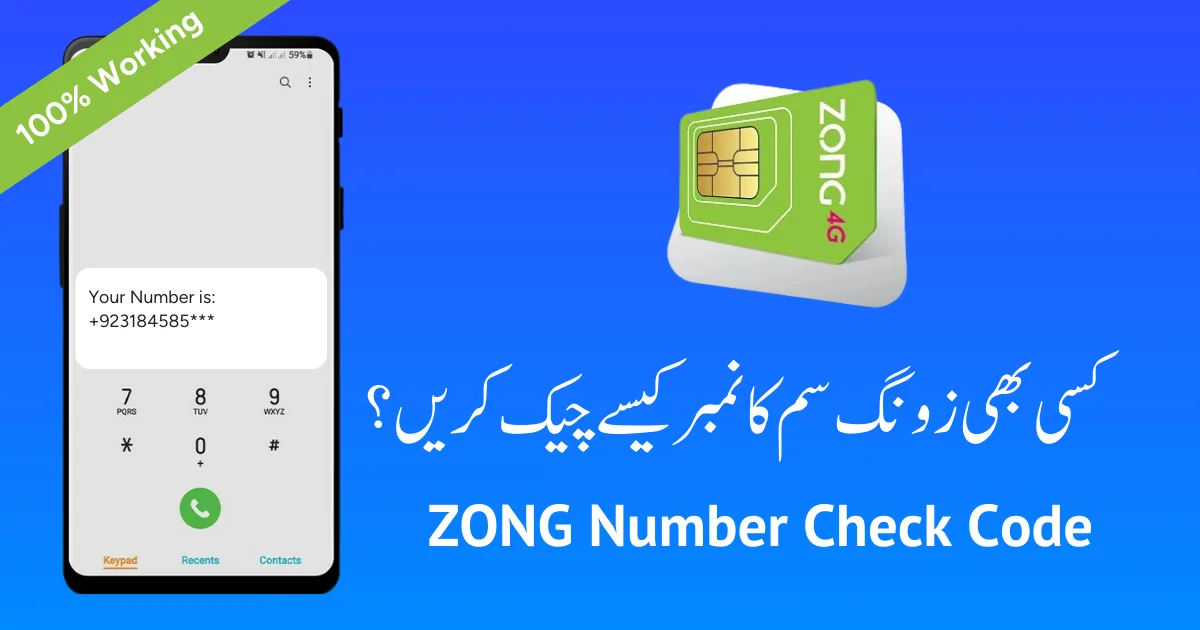
Zong, operated by China Mobile Pakistan (CMPak), is one of Pakistan’s four major mobile networks and has played a particularly notable role in Pakistan’s SIM regulation history — the landmark Supreme Court case that ultimately set the country’s 8-SIM-per-CNIC limit was, in fact, brought before the Court by CMPak itself in 2015. Understanding how to check Zong SIM owner details, and understanding the legal boundaries around that check, is essential for any Pakistani citizen managing their digital identity in 2026.
This guide covers every official, free method for checking Zong SIM ownership, explains the legal framework governing these checks, and connects Zong-specific verification to the broader identity-protection strategy detailed in our flagship SIM Owner Details guide.
Quick Answer
To check Zong SIM owner details linked to your own CNIC, send your 13-digit CNIC number (no dashes) by SMS to 668 for a complete operator-wise SIM count, or send MNP to 667 from the Zong SIM itself to confirm a masked CNIC match. For Zong-specific biometric verification status, send the letter “V” to 7911 (a code shared with Ufone, since both operate under the same PTML biometric verification infrastructure in some configurations — always confirm with Zong’s own helpline if the result seems unclear for your specific SIM). None of these methods cost more than a minimal standard SMS charge.
Why Zong SIM Verification Deserves Special Attention
Zong’s history is directly tied to Pakistan’s SIM regulation framework in a way most subscribers don’t realize. In 2012, the Supreme Court first capped SIM registrations at five per CNIC for national security reasons. CMPak (Zong) subsequently petitioned the Court, arguing that data-only SIMs — used for internet dongles, routers, and similar devices — served a fundamentally different purpose than voice SIMs and shouldn’t count against the same cap. On 5 November 2015, a bench headed by Chief Justice Anwar Zaheer Jamali agreed, allowing an additional three data-only SIMs on top of the existing five-voice-SIM limit. This is exactly where today’s 8 SIMs total (5 voice + 3 data) rule comes from — a structure Zong itself helped establish through litigation.
Beyond this regulatory history, Zong’s growing 4G/5G data infrastructure means many citizens hold multiple Zong connections without realizing it — a voice SIM, a separate data SIM for a router, and sometimes a third for a tablet or MiFi device. This makes Zong subscribers particularly likely to be surprised by their own SIM count when they finally check it.
Official, Free Ways to Check Zong SIM Owner Details
| Method | What It Does | Cost |
|---|---|---|
| SMS CNIC to 668 | Full SIM count across all five networks, including Zong | ~Rs. 2 + tax |
| SMS “MNP” to 667 | Confirms masked CNIC and network for the Zong SIM in hand | Free |
| SMS “V” to 7911 | Zong biometric verification status check | Free |
| My Zong App | View your own account’s registration details after login | Free |
| Zong Helpline (310) | Speak to a representative about a specific Zong number | Standard call charge |
| cnic.sims.pk | Full, dated, printable list of every SIM (including Zong) on your CNIC | Free |
Step-by-Step: Checking Your Zong SIM Registration
- Open your phone’s SMS app — no data connection is needed for any of these codes.
- Type your 13-digit CNIC number with no dashes — for example, 3520112345671.
- Send it to 668 to receive your operator-wise SIM count, including your Zong connections.
- To verify a specific Zong SIM, insert it into any phone and send “MNP” to 667.
- For biometric status specifically, send “V” to 7911 from the Zong SIM in question.
- Compare the results with what you personally remember registering, and investigate any unexplained entries.
Zong’s Network Structure and Prefixes
Zong primarily operates on the 0310–0319 prefix range, though — as with every Pakistani operator — Mobile Number Portability means a number’s original prefix no longer guarantees its current network. A number originally issued on a Zong prefix could have since ported to Jazz, Telenor, or Ufone. To confirm any number’s current live network regardless of its original prefix, SMS it to 76367.
Is It Legal to Check Someone Else’s Zong SIM Details?
No. Section 16 of the Prevention of Electronic Crimes Act (PECA) 2016 criminalizes unauthorized access to another person’s identity data, including CNIC and SIM registration records, carrying penalties of up to three years’ imprisonment and a fine of up to Rs. 5 million. This applies equally to Zong as to every other network.
The official tools listed above return results only for the requester’s own CNIC or the SIM in their possession — none of them, and no legitimate service anywhere, can reveal a stranger’s name or full CNIC from a Zong number. If an unknown Zong number is harassing you, the correct route is a formal complaint to the National Cyber Crime Investigation Agency (NCCIA), not a “reverse lookup” website.
Why “Zong Number Tracker” Websites Are Untrustworthy
Numerous websites claim to offer instant Zong SIM owner lookups for a fee. None have licensed access to Zong’s or PTA’s subscriber database — what they provide is either fabricated data designed to collect payment, outdated information from old leaks, or in worse cases, a phishing vector disguised as a verification tool. Our comprehensive SIM Owner Details guide covers exactly why these services can never deliver what they promise, across every Pakistani network.
What If Your Zong SIM Count Looks Higher Than Expected?
Before assuming unauthorized registration, rule out the common, innocent explanations:
- Data-only SIMs you’ve forgotten — Zong’s dongles, MiFi devices, and router SIMs are exactly the category of connection the 2015 Supreme Court ruling addressed, and they’re easy to overlook when counting “how many SIMs do I have.”
- Old, unused voice SIMs — a Zong number from years ago that you stopped topping up but never formally cancelled still counts.
- Family registrations — a relative’s Zong connection registered under your CNIC for convenience.
If none of these account for the discrepancy, proceed to the disowning process.
Removing an Unauthorized Zong SIM From Your CNIC
- Get a dated record from cnic.sims.pk showing the unauthorized Zong SIM clearly.
- Visit any Zong franchise with your original CNIC in hand.
- Request formal SIM disowning and complete biometric re-verification at the counter.
- Obtain written confirmation or a complaint reference number.
- Escalate through PTA’s official complaint portal if the franchise doesn’t resolve the issue, or file with NCCIA if you suspect criminal misuse.
- Re-check via 668 after a few weeks to confirm removal.
Under PTA’s May 2026 policy update, the SIM disowning period was extended from 60 to 365 days from activation. If the unauthorized Zong SIM was recently activated, formal removal may take longer under this new rule — file your complaint immediately regardless, since the timestamp is what matters for the record.
Zong’s Role in the SIM Limit You Live Under Today
It’s worth restating clearly: the reason every Pakistani citizen today can hold up to 8 SIMs (5 voice + 3 data) combined across all networks traces directly back to CMPak/Zong’s 2015 Supreme Court petition. This history matters practically — it explains why data-only SIMs are treated as a genuinely separate category from voice SIMs in your own self-audit, and why your Zong router SIM shouldn’t be confused with your Zong voice line when counting toward your personal limit. Our dedicated PTA SIM Limit Per CNIC guide covers this ruling and its ongoing enforcement in full depth.
Zong Biometric Verification and What “V” to 7911 Confirms
Like every operator, Zong matches a SIM applicant’s fingerprint against NADRA’s central biometric database before activation. Sending “V” to 7911 lets you confirm your own connection’s current biometric status. If Zong sends you a re-verification notice, checking this code promptly — and completing re-verification at a franchise if needed — prevents your SIM from facing suspension under PTA’s ongoing enforcement sweeps.
Comparing Zong to Other Networks
If you’re auditing your full SIM portfolio across operators, our companion guides cover the identical verification process for Jazz SIM Owner Details and Telenor & Ufone SIM Check. Since all five networks report into the same PTA Subscriber Verification Management System, the core method — 668 for your total count, network-specific codes for individual confirmation — stays consistent regardless of which operator you’re checking.
Found an Unfamiliar SIM? Here’s What to Do Next
If your 668 check reveals a Zong — or any other network’s — connection you don’t recognize, our dedicated Unknown SIM Registered on My CNIC guide provides a full investigation checklist before you head to a franchise, helping you gather the right evidence and ask the right questions.
Zong’s Data Infrastructure and Why Data-SIM Awareness Matters
Zong has invested heavily in 4G and 5G data infrastructure since the 2015 ruling that specifically created the data-only SIM allowance, and this investment has real consequences for how citizens should think about their own SIM count. A household with a Zong home internet router, a separate Zong MiFi device for travel, and a Zong voice line for a family member can easily accumulate three or four Zong-linked SIMs without anyone consciously tracking the total — precisely the scenario the Supreme Court’s data-SIM exception was designed to accommodate, but also precisely the scenario that can catch people off guard when they finally run a 668 check and see a higher number than expected.
If your household relies heavily on Zong’s data services, it’s worth periodically sitting down and explicitly listing every physical device connected to a Zong SIM — routers, MiFi units, tablets, and any IoT devices — alongside your voice lines, so your own mental tally matches what actually shows up in your official count.
Zong Franchise Services Beyond Basic SIM Issues
Zong franchises handle more than just new SIM activation and disowning requests. Understanding the full range of services helps you plan a single, efficient visit rather than multiple trips:
- Biometric re-verification for SIMs flagged by PTA’s ongoing enforcement sweeps.
- SIM replacement for lost, stolen, or damaged cards, which requires your original CNIC and a fresh biometric capture.
- Plan and package changes, including switching between prepaid and postpaid where applicable.
- Formal disowning requests, the process covered in detail earlier in this guide.
What Zong franchises cannot do: reveal another person’s registration details, bypass PTA’s official disowning timeline, or make changes to your underlying CNIC record — the latter is handled exclusively through NADRA, as covered in our CNIC Verification guide.
Zong’s Role in Pakistan’s Broader Telecom Enforcement Picture
Beyond the historic 2015 Supreme Court case, Zong continues to participate in PTA’s ongoing enforcement initiatives targeting SIMs linked to deceased, expired, or cancelled CNICs. As part of PTA’s enforcement data covering July 2024 to June 2025 — which saw over 3.2 million SIMs blocked nationwide for deceased-CNIC linkage alone — Zong, like every operator, contributed to and complied with this enforcement cycle. This is a useful reminder that biometric re-verification notices from Zong aren’t arbitrary account maintenance requests; they’re typically tied to this broader, ongoing national compliance effort, and responding promptly helps ensure your legitimate connections aren’t caught up in a sweep intended for genuinely non-compliant SIMs.
Frequently Asked Questions
Can I look up who owns a Zong number calling me? No. This is legally restricted under PECA 2016 Section 16. Official tools like 668 and 667 only confirm information tied to your own CNIC or the SIM you physically hold.
How do I check how many Zong SIMs are registered on my CNIC? SMS your 13-digit CNIC number to 668 for a complete operator-wise breakdown, including Zong.
What does 667 tell me about a Zong SIM? Sending “MNP” to 667 from the Zong SIM returns a masked CNIC and confirms whether it’s genuinely registered under your identity.
What is the Zong biometric verification code? Send the letter “V” to 7911 from your Zong number to check its current biometric verification status.
Why did Zong specifically challenge the SIM limit in court? CMPak (Zong) argued that data-only SIMs for devices like routers served a different purpose than voice SIMs, leading to the Supreme Court’s 2015 ruling allowing 3 additional data SIMs on top of the existing 5-voice-SIM cap.
Are paid Zong SIM lookup websites legitimate? No. No private website has licensed access to Zong’s subscriber database. Treat any paid “instant Zong owner details” service as untrustworthy.
How do I remove an unauthorized Zong SIM from my CNIC? Visit a Zong franchise with your original CNIC, request disowning, and complete biometric re-verification. Escalate to PTA’s complaint portal if unresolved.
Does the 365-day disowning rule apply to Zong? Yes, uniformly across all operators. SIMs activated after May 2026 cannot be formally disowned for a full year from activation.
Can a Zong-prefix number now belong to a different network? Yes, due to Mobile Number Portability. SMS the number to 76367 to confirm its current live operator.
Do data-only Zong SIMs count toward my personal SIM limit? Yes, but separately — the limit is 5 voice SIMs plus 3 data-only SIMs, a distinction that exists specifically because of Zong’s 2015 court case, so a data SIM won’t consume your voice-line allowance and vice versa.
Final Word
Zong’s unique place in Pakistan’s telecom regulatory history makes it a particularly instructive case study in how SIM ownership rules came to be — but the practical advice remains the same as for every other network: check your SIM count monthly via 668, verify specific connections via 667 or the network-specific biometric code, and never trust a paid “lookup” service claiming more than these free official tools provide. For complete, cross-network coverage of SIM ownership verification, see our SIM Owner Details guide, and for the full identity-management picture, our CNIC Information hub.
If there’s one lasting takeaway from Zong’s connection to the 2015 Supreme Court ruling, it’s that Pakistan’s telecom regulations aren’t arbitrary bureaucratic rules handed down without reason — they emerged from real litigation addressing real distinctions between how citizens actually use their mobile connections. Understanding that history doesn’t just satisfy curiosity; it helps you interpret today’s rules, including the newer 365-day disowning policy, as part of an evolving, reasoned regulatory framework rather than a fixed, arbitrary system.
This guide is for general informational purposes and reflects publicly available PTA and NADRA policy as understood at the time of writing. Always confirm current codes and procedures directly on pta.gov.pk. See our Disclaimer and Privacy Policy for full details. Questions? Contact Us. This page is reviewed periodically as PTA and NADRA policy evolves, so check back for the latest verified information.