
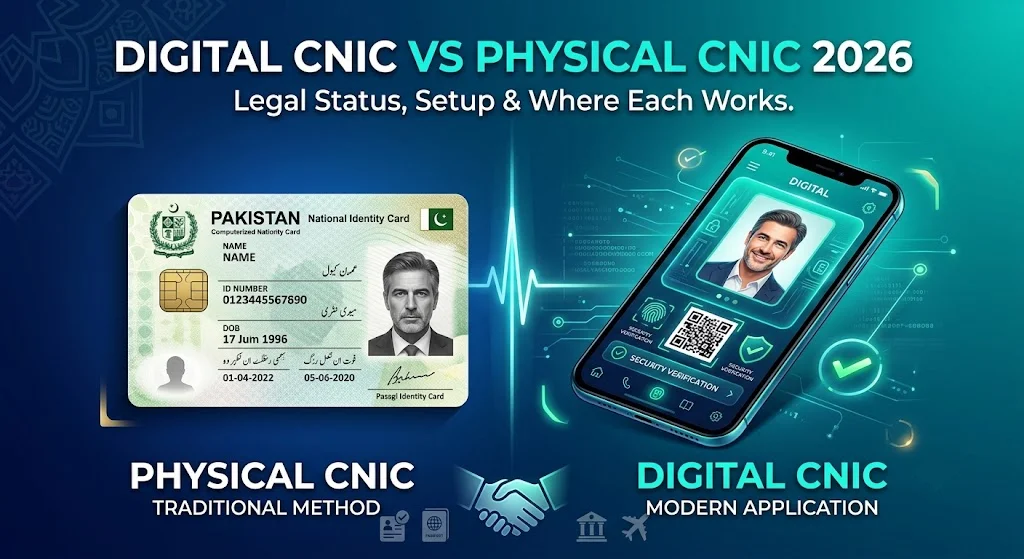
NADRA’s push toward digital identity has introduced a genuinely useful option for Pakistani citizens: a Digital CNIC accessible through the official PakID app, verified through biometric self-verification rather than requiring you to carry your physical card everywhere. But this raises a natural question — is Digital CNIC actually legally equivalent to your physical card, or just a convenient reference copy? This guide gives you the precise answer, walks through the setup process, and explains exactly where each format is accepted in 2026.
For the broader identity verification framework this fits into, see our CNIC Verification guide and our flagship CNIC Information hub.
Quick Answer
Digital CNIC carries the same legal weight as your physical CNIC for most everyday transactions, once activated through NADRA’s official biometric self-verification process in the PakID app. It is not merely a photo or scan of your card — it’s a NADRA-issued digital credential tied to a live biometric match. However, some specific transactions (particularly certain banking, property, and government processes still built around physical card verification) may still require your physical card, so understanding the distinction matters in practice.
What Digital CNIC Actually Is
Digital CNIC is not simply a photograph of your physical card stored on your phone — that would carry no more legal weight than a photocopy and would be vulnerable to the same fraud risks. Instead, Digital CNIC is generated through a specific NADRA process:
- You complete a live biometric self-verification within the official PakID app — typically involving a live selfie matched in real time against your fingerprint and photo records already held by NADRA.
- Upon successful verification, NADRA issues a digital credential stored securely within the app, cryptographically tied to your verified identity rather than being a simple image file.
- This credential can be presented digitally when required, functioning as a genuine NADRA-issued identity proof rather than a personal copy of your card.
This distinction — live biometric issuance versus a static image — is exactly what gives Digital CNIC its legal standing, and exactly why a screenshot of someone else’s physical CNIC could never achieve the same status.
Digital CNIC vs Physical CNIC: Side-by-Side Comparison
| Feature | Physical CNIC | Digital CNIC |
|---|---|---|
| Legal weight | Full legal identity document | Equivalent for most everyday transactions |
| Verification method | Visual inspection, chip reading (Smart NIC) | Live biometric match at time of use |
| Risk if lost | Requires replacement process; theft creates real fraud risk | Cannot be “lost” in the same way; protected by biometric access |
| Where accepted | Universally accepted everywhere | Growing acceptance; some institutions still require physical card |
| Update process | Requires renewal visit for changes | Reflects your current NADRA record automatically once physical record is updated |
| Carrying requirement | Must be physically carried | Accessible via phone, no physical card needed |
How to Set Up Digital CNIC
- Download the official PakID app from your device’s official app store — always verify you’re downloading NADRA’s genuine app, not an imitation.
- Register using your CNIC number and registered mobile number.
- Complete the biometric self-verification process, which typically involves a live selfie capture matched against your existing NADRA fingerprint and photo records.
- Once verified, your Digital CNIC becomes accessible within the app, ready for presentation when needed.
If your biometric self-verification fails repeatedly — which can occasionally happen due to lighting conditions, camera quality, or genuine biometric mismatches — visiting a NADRA centre in person to resolve the discrepancy is the appropriate next step, following the same verification troubleshooting principles covered in our CNIC Verification guide.
Where Digital CNIC Is Accepted in 2026
Acceptance of Digital CNIC has expanded significantly but remains uneven across different types of institutions:
Generally Accepted
- Many government service counters that have integrated with NADRA’s digital verification systems.
- Some banks, particularly for lower-risk transactions or as a supplementary verification alongside other documentation.
- Various private businesses for basic identity confirmation purposes, such as age verification or general identity checks.
Often Still Requiring Physical CNIC
- High-value property transactions, where sub-registrar offices frequently still expect the physical card alongside other documentation.
- New SIM registration at telecom franchises, where biometric capture is typically done fresh at the point of sale regardless of whether you have Digital CNIC, since the franchise needs its own live biometric match rather than relying on your app’s prior verification.
- International travel and border crossings, where physical CNIC (or NICOP/passport, as applicable) generally remains the expected document.
Given this uneven acceptance, the most practical approach is treating Digital CNIC as a genuinely useful supplementary option — excellent for situations where carrying your physical card is inconvenient or risky — rather than assuming it will be universally accepted as a full replacement in every context.
Why Digital CNIC Improves Your Security Posture
Beyond convenience, Digital CNIC offers genuine security advantages over relying solely on your physical card:
- Reduced theft exposure: since you can leave your physical CNIC secured at home for many everyday transactions, you reduce the window during which it could be lost or stolen — directly relevant to the risks covered in our CNIC Stolen guide.
- Harder to forge: unlike a photocopy or photo, Digital CNIC requires live biometric verification at the moment of use, making it significantly more resistant to the kind of photocopy-based fraud discussed throughout our SIM Owner Details guide.
- Automatic currency: once your physical CNIC record is updated (say, after a renewal or address change), your Digital CNIC reflects the current information without requiring a separate update step.
Limitations and Risks of Digital CNIC
Digital CNIC isn’t without its own considerations:
- Dependent on your phone: a dead battery, lost phone, or app malfunction can leave you without access to your Digital CNIC at an inconvenient moment — this is a genuine practical limitation compared to a physical card that doesn’t depend on any device.
- Requires internet/app functionality: while the biometric verification itself may work offline in some configurations, initial setup and certain verification steps typically require an internet connection.
- Uneven institutional acceptance: as covered above, not every institution has adapted its processes to accept Digital CNIC, meaning you may still need your physical card in specific situations.
Given these limitations, the safest approach is treating Digital CNIC as an addition to, not a replacement for, your physical card — keep your physical CNIC secure and current, and use Digital CNIC as your primary option for lower-stakes, everyday verification needs.
Digital CNIC and NICOP
Overseas Pakistanis holding NICOP can generally access equivalent digital verification options through the same NADRA digital infrastructure, though the specific app experience and acceptance landscape may differ somewhat from domestic Digital CNIC given NICOP’s additional travel-document functionality. Our dedicated NICOP for Overseas Pakistanis guide covers this identity document in complete depth, including how it interacts with NADRA’s broader digitization efforts.
Security Best Practices for Digital CNIC Users
- Protect your phone with a strong PIN, password, or biometric lock independent of the PakID app’s own security, since your phone is now effectively holding a copy of your primary identity credential.
- Never share screenshots of your Digital CNIC the way you might casually share a physical CNIC photocopy — since Digital CNIC’s security model depends on live verification, a static screenshot of it carries similar risks to a physical photocopy without the added protection the live system provides.
- Keep the PakID app updated to ensure you have the latest security patches and verification improvements from NADRA.
- Report a lost or stolen phone to NADRA promptly if your Digital CNIC access could be compromised, following similar urgency principles to our CNIC Stolen guide.
The Future of Digital Identity in Pakistan
NADRA’s ongoing digitization push — encompassing the Pak-Identity portal, PakID app, and Digital CNIC — reflects a broader national trend toward reducing dependence on physical documents that are easier to lose, photocopy, or photograph without consent. As institutional acceptance continues to expand, Digital CNIC is likely to handle an increasing share of everyday identity verification needs, while physical CNIC will likely remain the required standard for the highest-stakes transactions (property, certain banking processes, international travel) for the foreseeable future.
Digital CNIC’s Role in Pakistan’s Broader Digital Government Push
Digital CNIC doesn’t exist in isolation — it’s one component of a wider Pakistani government effort to digitize identity-dependent services more broadly. As more government departments, banks, and private institutions build integration with NADRA’s digital verification systems, the practical acceptance gap between Digital and Physical CNIC is expected to narrow over time. Citizens who adopt Digital CNIC early position themselves to benefit from this expanding acceptance as it happens, rather than needing to catch up later once digital verification becomes more universally expected.
This mirrors similar digitization trends across Pakistan’s telecom and financial sectors — the same underlying push toward reducing physical document dependence that drives NADRA’s Pak-Identity portal (covered in our CNIC Verification guide) and the SMS-based verification infrastructure (covered in our NADRA SMS Service Codes guide) also drives the Digital CNIC initiative specifically.
Comparing Digital CNIC Setup Time to Physical CNIC Renewal
One practical advantage worth highlighting: setting up Digital CNIC through the PakID app typically takes only a few minutes once you have the app downloaded, compared to the in-person centre visit and processing wait times covered in our NADRA ID Card Renewal guide for physical card issuance or renewal. This makes Digital CNIC setup a low-effort addition to your identity toolkit even if you have no immediate need for it — establishing it now means it’s ready and available the moment a genuine use case arises, rather than needing to set it up reactively during a time-sensitive situation.
Digital CNIC and Financial Inclusion
Beyond convenience for existing CNIC holders, NADRA’s digital identity infrastructure has broader implications for financial inclusion in Pakistan. Digital verification tools reduce the friction historically associated with opening bank accounts, mobile wallets, and other financial services for citizens in areas with limited access to physical NADRA centres, since certain verification steps can now be completed remotely rather than requiring an in-person centre visit for every transaction. This broader context helps explain why NADRA continues investing significant resources in expanding digital verification acceptance across more institutions, beyond simply the convenience benefit to individual Digital CNIC users.
What Happens to Digital CNIC When You Renew Your Physical Card
A common question: does completing a physical CNIC renewal (covered in depth in our NADRA ID Card Renewal guide) require you to redo your Digital CNIC setup? Generally, since Digital CNIC draws from your live NADRA record rather than a static copy of your old physical card, your Digital CNIC should automatically reflect your updated details once your physical renewal is processed, without requiring a separate re-registration in the PakID app. However, if you notice any discrepancy between your renewed physical card and your Digital CNIC display, contacting NADRA’s helpline to confirm synchronization is a reasonable troubleshooting step.
Frequently Asked Questions
Is Digital CNIC legally the same as my physical CNIC? Yes, for most everyday transactions, once properly activated through NADRA’s official biometric self-verification process in the PakID app — though some high-stakes transactions may still require the physical card.
How do I get a Digital CNIC? Download the official PakID app, register with your CNIC number and mobile number, and complete live biometric self-verification.
Can I use Digital CNIC to register a new SIM? Generally no — telecom franchises typically require fresh biometric capture at the point of sale regardless of your Digital CNIC status.
What happens if my phone is lost while I rely on Digital CNIC? Report it to NADRA promptly, similar to reporting a lost physical CNIC, since your Digital CNIC access could be compromised.
Is a screenshot of my CNIC the same as Digital CNIC? No — a screenshot or photo of your physical card carries no more legal weight than a photocopy. Digital CNIC specifically requires NADRA’s live biometric issuance process.
Where is Digital CNIC not yet accepted? High-value property transactions, new SIM registration, and international travel/border crossings generally still expect physical CNIC or other travel documents, reflecting the more conservative verification standards these higher-stakes contexts require.
Does Digital CNIC update automatically if I renew my physical CNIC? Yes, once your underlying NADRA record is updated through renewal, your Digital CNIC reflects the current information.
Is Digital CNIC safer than carrying my physical card? In many ways yes, since it reduces theft exposure and is harder to forge due to its live biometric requirement, though it introduces its own risks tied to phone security, making a combined approach — securing both formats appropriately — the most robust overall strategy.
Can overseas Pakistanis get a Digital CNIC or equivalent? Yes, through the same NADRA digital infrastructure, with NICOP holders generally able to access equivalent digital verification options tailored to their specific overseas identity document.
Should I stop carrying my physical CNIC once I have Digital CNIC set up? Not entirely — given uneven institutional acceptance, keep your physical CNIC secure and available for situations that still require it, while using Digital CNIC for everyday convenience and lower-stakes verification needs.
Final Word
Digital CNIC represents a genuine, legally meaningful advance in how Pakistani citizens can manage their identity day to day — not a gimmick or a mere convenience feature, but a properly issued NADRA credential with real legal standing for most everyday purposes. Setting it up takes only a few minutes through the official PakID app and provides a valuable supplementary option alongside your physical card, particularly for reducing the theft and loss risks covered in our CNIC Stolen guide. For the complete picture on CNIC verification and management, see our CNIC Verification guide and our CNIC Information hub.
As Pakistan’s digital identity infrastructure continues maturing through 2026 and beyond, citizens who understand the genuine distinction between Digital and Physical CNIC — rather than either dismissing Digital CNIC as a mere novelty or mistakenly assuming it fully replaces the physical card everywhere — are best positioned to use both formats effectively, choosing whichever is appropriate for each specific situation rather than defaulting unnecessarily to the more inconvenient physical option out of habit or uncertainty about digital acceptance.
This guide is for general informational purposes and reflects publicly available NADRA policy as understood at the time of writing. Always confirm current procedures directly on nadra.gov.pk. See our Disclaimer and Privacy Policy for full details. Questions? Contact Us. This page is reviewed periodically as NADRA’s digital identity infrastructure and institutional acceptance continue to expand.