
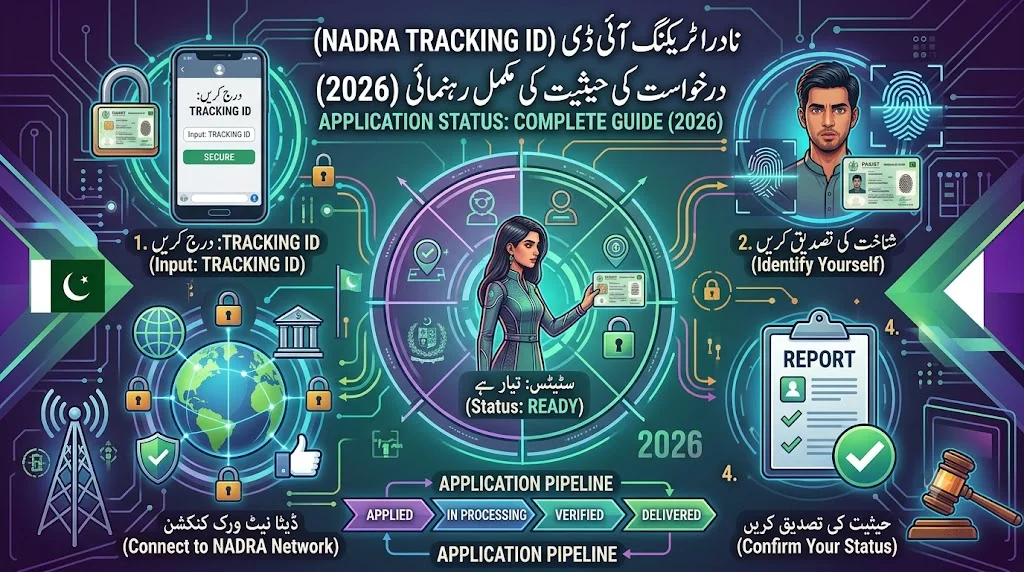
Every CNIC, NICOP, or family registration application submitted to NADRA generates a unique Tracking ID — a small piece of paper that becomes surprisingly important the moment you want to know whether your new card is ready. This guide covers everything about the Tracking ID: where to find it, every official method to check status with it, what each status stage actually means, and what to do if you’ve lost it.
For the full application and renewal process that generates this ID in the first place, see our detailed NADRA ID Card Renewal guide.
Quick Answer
Your NADRA Tracking ID is a 10-digit number printed on the receipt you receive after submitting any CNIC, NICOP, or family registration application. To check your status, SMS this 10-digit ID to 8400, or log into the Pak-Identity portal at id.nadra.gov.pk and view your application dashboard. Both methods are free or carry only a minimal SMS charge, and both show you exactly which processing stage your application has reached.
Where to Find Your Tracking ID
Your Tracking ID appears on the physical or digital receipt issued at the moment you submit your application — whether at a NADRA Mega Centre, Executive Centre, Registration Centre, or through the Pak-Identity portal online. It’s important to distinguish this from your CNIC number itself:
- CNIC number: 13 digits, your permanent identity number.
- Tracking ID: 10 digits, specific to this particular application submission.
If you submitted your application online through the Pak-Identity portal, your Tracking ID is also visible directly in your account dashboard, reducing the risk of losing a physical receipt.
Official, Free Ways to Check Your NADRA Application Status
| Method | How It Works | Cost |
|---|---|---|
| SMS to 8400 | Send your 10-digit Tracking ID | ~Rs. 10 + tax |
| Pak-Identity Portal | Log in at id.nadra.gov.pk and view your dashboard | Free |
| PakID Mobile App | View status directly if you applied through the app | Free |
| NADRA Helpline | Speak to a representative with your Tracking ID ready | Standard call charge |
Our complete NADRA SMS Service Codes guide covers code 8400 alongside every other official NADRA and PTA short code in one consolidated reference.
Step-by-Step: Checking Your Status via SMS
- Locate your receipt and find the 10-digit Tracking ID printed on it.
- Open your phone’s SMS app — no internet connection is required.
- Type only the 10-digit Tracking ID — no additional text, spaces, or your CNIC number.
- Send it to 8400.
- Wait for the automated reply, which shows your application’s current processing stage.
Understanding Each Processing Stage
NADRA applications typically move through several distinct stages, and understanding what each one actually means helps you know what to expect next:
Submitted / Received
Your application has been logged into NADRA’s system. This is the initial confirmation stage immediately after your centre visit or online submission.
In Process / Under Verification
Your application is being reviewed — this can include document verification, biometric data processing, and cross-referencing against NADRA’s existing records for any discrepancies.
Printed
Your physical card has been manufactured. This stage indicates production is complete, though the card has not yet been dispatched or made available for collection.
Dispatched / Ready for Collection
Depending on whether you selected home delivery or centre pickup, this stage means your card is either in transit to your registered address or available for collection at your originating centre.
Delivered / Completed
Your application process is fully complete, and you should have your new card in hand.
What to Do at Each Stage
If Status Shows “In Process” for an Extended Period
Processing times vary by tier — normal, urgent, or executive — as detailed in our NADRA ID Card Renewal guide. If your application remains “In Process” well beyond your tier’s expected timeline, contact NADRA’s helpline directly with your Tracking ID ready, since this can occasionally indicate a document discrepancy requiring your attention.
If Status Shows “Ready for Collection”
Bring your original application receipt and any valid form of ID (your old CNIC, if you have it) to the centre where you applied. Some centres also offer home delivery for an additional fee — check your specific application’s delivery options through the Pak-Identity portal.
If You Don’t Recognize the Status Terminology
NADRA’s status descriptions can occasionally use slightly different wording between the SMS response and the portal dashboard. If a status term is unclear, the Pak-Identity portal generally provides more detailed context than the brief SMS reply, or you can call the helpline directly for clarification.
What If You’ve Lost Your Tracking ID?
This is one of the most common follow-up questions, and the resolution depends on how you originally applied:
- If you applied online through the Pak-Identity portal, log into your account — your Tracking ID remains visible in your application history regardless of whether you kept the physical receipt.
- If you applied in person and lost the physical receipt, contact the specific centre where you submitted your application with your CNIC number and application date; staff can often look up your Tracking ID from their records.
- As a preventive habit going forward, photograph or screenshot your receipt immediately after any NADRA submission — this single habit eliminates the entire “lost Tracking ID” problem for future applications.
Tracking ID for NICOP Applications
Overseas Pakistanis applying for NICOP receive a Tracking ID through the same underlying system, usable with the same 8400 SMS code or Pak-Identity portal login. Our dedicated NICOP for Overseas Pakistanis guide covers the complete NICOP application process, including how Tracking IDs work specifically for overseas applicants who may be checking status from outside Pakistan — a scenario where the free Pak-Identity portal check is especially useful, since SMS-based checking requires a Pakistani mobile number.
Tracking Multiple Family Members’ Applications
If you’ve submitted applications for multiple family members simultaneously — for example, renewing your own CNIC alongside applying for a child’s B-Form — each application receives its own distinct Tracking ID. Keep each receipt separate and clearly labeled, since checking one family member’s Tracking ID will only return that specific application’s status, not a combined household view.
Common Tracking ID Mistakes
Confusing the Tracking ID With Your CNIC Number
The most frequent error: sending your 13-digit CNIC number to 8400 instead of the correct 10-digit Tracking ID. This will typically return an error or no useful response, since 8400 is specifically designed to process Tracking IDs, not CNIC numbers.
Adding Extra Characters or Spaces
Type only the raw 10-digit number, with no dashes, spaces, or additional text, when sending to 8400.
Checking Too Frequently
While there’s no strict limit on how often you can check via 8400, each check carries a minimal SMS charge — checking multiple times per day rarely provides new information, since status updates don’t happen that frequently. Checking every few days during active processing is a more practical rhythm.
How Tracking ID Status Relates to Your Overall Identity Security
While your Tracking ID itself isn’t sensitive in the way your full CNIC number is, it’s still worth treating your application receipt with reasonable care — avoid posting photos of it publicly, since it does confirm you have an active NADRA application in progress, which combined with other leaked information could theoretically assist a social engineering attempt. This is a minor consideration compared to the more significant identity-protection habits covered in our CNIC Stolen guide and SIM Owner Details guide, but worth mentioning as part of comprehensive identity hygiene.
Digital Alternatives to Tracking ID Checks
If you applied through the PakID mobile app rather than in person, you may be able to view your application status directly within the app without needing to separately remember or locate your Tracking ID — the app maintains your application history tied to your account login. This is part of the broader digital identity infrastructure covered in our Digital CNIC vs Physical CNIC guide, which explains how NADRA’s digitization efforts are gradually reducing dependence on physical receipts and paperwork for routine identity management tasks.
Tracking ID Status for Different Application Types
While the core 8400 check process is identical across application types, it’s worth understanding a few nuances specific to different scenarios:
New CNIC applications (first-time applicants) typically show a slightly longer initial “In Process” stage, since first-time biometric registration involves establishing your baseline record in NADRA’s system rather than simply updating an existing one.
Renewal applications generally move through the stages faster on average, since your biometric and core identity data already exists in NADRA’s system and primarily requires confirmation rather than fresh establishment.
Modification requests (address changes, name corrections, and similar) can show variable timelines depending on the complexity of the specific change — a straightforward address update typically processes faster than a more significant modification requiring additional documentary review, such as the date of birth corrections covered in our NADRA Date of Birth Change guide.
NICOP applications from overseas Pakistanis sometimes show longer intervals between status updates, given the additional logistics of international processing and shipping discussed in our NICOP guide.
What NADRA Staff Can Tell You Beyond the SMS Status
If your 8400 check leaves you with unanswered questions, NADRA’s helpline staff can often provide more granular detail than the brief automated SMS response — including specific reasons for any unusual delay, confirmation of whether additional documents are needed, or clarification on ambiguous status terminology. Have your Tracking ID and CNIC number ready when calling, since this allows staff to pull up your specific application record quickly rather than requiring extended verification before they can assist you.
Why Tracking ID Systems Matter for NADRA’s Overall Efficiency
Beyond the individual convenience of checking your own application status, NADRA’s Tracking ID infrastructure serves a broader operational function — it allows the organization to manage millions of simultaneous applications across the country without requiring citizens to make repeated in-person inquiries at centres, which would otherwise create significant congestion at physical locations already handling high volumes of new applications, renewals, and modifications. Understanding this broader context helps explain why NADRA has continued investing in and refining both the SMS-based and portal-based tracking systems over the years, since efficient self-service status checking directly reduces operational burden on centre staff who would otherwise need to field these inquiries in person.
Comparing Tracking ID Checks to Other NADRA Verification Tools
It’s worth distinguishing your Tracking ID check from the other verification tools covered elsewhere on this site. While 8400 and the Tracking ID specifically address the status of an in-progress application, other tools serve different purposes: the 8300 code (covered in our NADRA SMS Service Codes guide) checks your voter registration and general CNIC status for an already-issued card, while the 668 code checks your SIM registrations rather than your CNIC application itself. Understanding which tool addresses which specific need prevents the common confusion of, for example, sending your CNIC number to 8400 (which expects a Tracking ID) or expecting 8300 to show application processing status for a pending renewal.
Frequently Asked Questions
What is a NADRA Tracking ID? A 10-digit reference number printed on your application receipt after submitting a CNIC, NICOP, or family registration application, used to check processing status.
How do I check my NADRA application status? SMS your 10-digit Tracking ID to 8400, or log into the Pak-Identity portal at id.nadra.gov.pk to view your dashboard.
What’s the difference between my Tracking ID and my CNIC number? Your CNIC number is 13 digits and permanent; your Tracking ID is 10 digits and specific to a single application submission.
What does “In Process” status mean? Your application is being reviewed, including document verification and biometric processing — this is a normal intermediate stage.
What should I do if my status shows “Ready for Collection”? Bring your original receipt and a valid ID to the centre where you applied, or check if home delivery is available through the portal.
I lost my Tracking ID — what now? If you applied online, log into your Pak-Identity account to find it. If you applied in person, contact the specific centre with your CNIC number and application date.
Can I check a family member’s application status with their Tracking ID? Yes, if you have their specific Tracking ID, you can check status the same way, since 8400 doesn’t require the number to be sent from the applicant’s own phone.
How long does it take for status to change between stages? This depends on your processing tier — normal, urgent, or executive — detailed in our NADRA ID Card Renewal guide, generally ranging from about a week to a month.
Does checking 8400 multiple times per day give faster results? No — status updates don’t happen frequently enough to make multiple daily checks useful. Checking every few days is a more practical rhythm that avoids unnecessary SMS charges while still keeping you reasonably informed.
Can overseas Pakistanis check their Tracking ID status? Yes, through the Pak-Identity portal, which works from anywhere with an internet connection, unlike the SMS method which requires a Pakistani mobile number, making the portal the more practical option for most applicants living abroad.
Final Word
Your NADRA Tracking ID is a small but genuinely important piece of information during the period between submitting an application and receiving your finished card. Photographing your receipt immediately after any NADRA submission, understanding what each status stage means, and knowing both the SMS and portal-based checking methods together eliminate almost all the friction and uncertainty that otherwise surrounds this waiting period. For the complete application and renewal process this Tracking ID belongs to, see our NADRA ID Card Renewal guide, and for every other official NADRA and PTA short code, our NADRA SMS Service Codes guide.
A final practical note worth internalizing: the anxiety many citizens feel while waiting for a NADRA application to process is almost always disproportionate to the actual risk of something going wrong. The vast majority of applications move through the standard stages without incident, and the free checking tools covered throughout this guide exist specifically so you never need to wonder or guess — a quick SMS or portal login gives you a definitive, current answer whenever you need one.
This guide is for general informational purposes and reflects publicly available NADRA policy as understood at the time of writing. Always confirm current procedures directly on nadra.gov.pk. See our Disclaimer and Privacy Policy for full details. Questions? Contact Us. This page is reviewed periodically as NADRA’s tracking systems and processing timelines evolve.